首次启动 — 欢迎引导与条款同意
启动画面
打开 Aurora Store,首先看到欢迎页:
- 左侧是 Aurora Store 的 logo 和 slogan
- 底部两个按钮:Agree and Continue(同意并继续)和 Disagree
用户协议与隐私政策
Aurora Store 要求用户在使用前明确同意两份文档:
Terms of Service(服务条款)
主要约束:
- Aurora Store 是 Google Play 的独立客户端,与 Google 无授权关系
- 用户自己承担通过 Aurora Store 下载/安装/使用应用的风险
- 不要用 Aurora Store 做违反 Google Play ToS 的事(可能导致你的 Google 账号被封)
Privacy Policy(隐私政策)
主要内容:
- Aurora Store 本身不收集个人数据
- 但下载应用时必须连接 Google Play 服务器——Google 那边会看到请求
- 匿名模式下发送的是 token dispenser 提供的伪账号
两份文档的完整内容可以在 AuroraOSS GitBook wiki 上查看。
选择登录方式
同意条款后,Aurora Store 会弹出登录选择:
- Anonymous — 匿名登录,不使用自己的 Google 账号
- Google — 用自己的 Google 账号登录
两种方式的详细区别见 两种登录功能差。
完成初始化
选定登录方式后,Aurora Store 会进入主界面——Apps → For you tab,分类网格展示推荐应用。
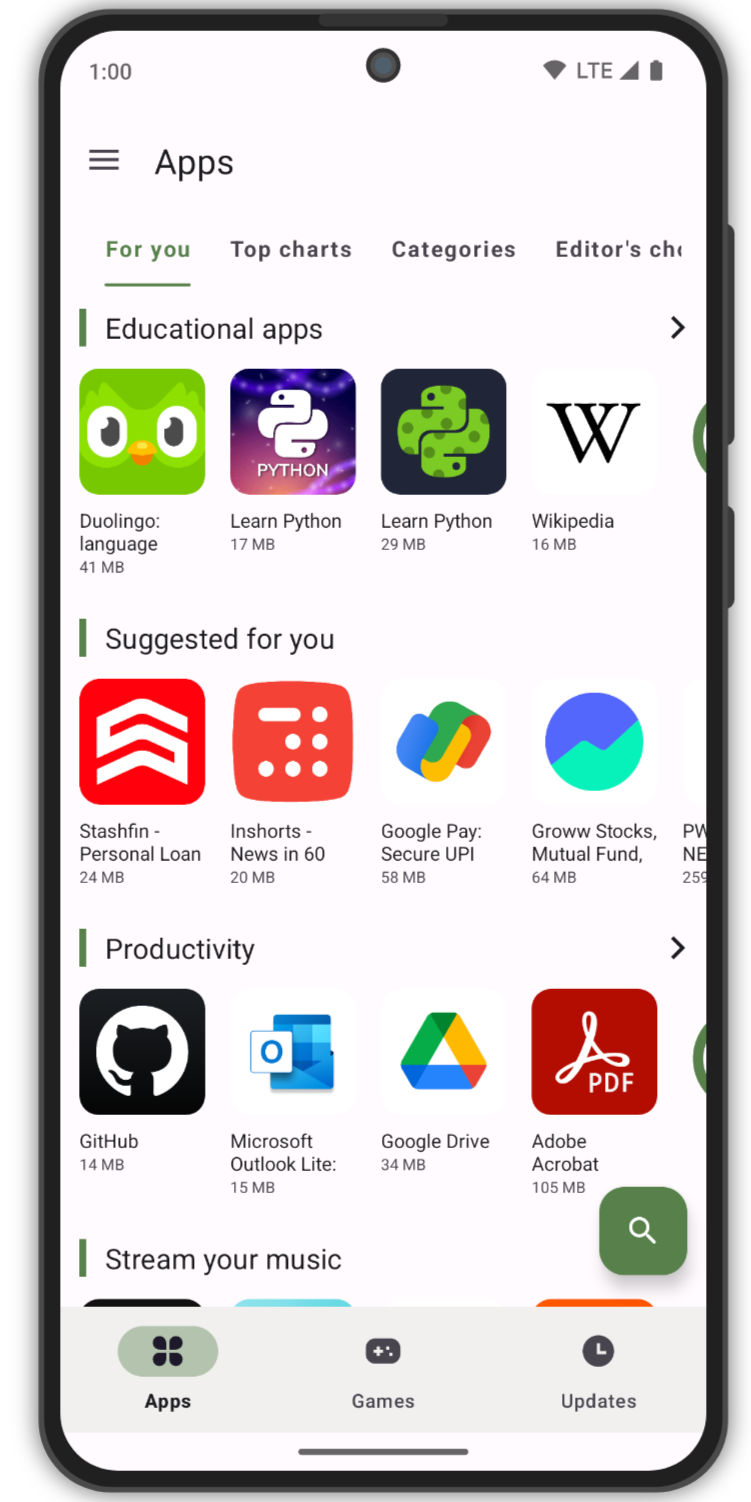
之后随时可以从侧栏 → Accounts 切换登录方式或添加多个 Google 账号。